Zosma Cowork — Your AI Coworker That Runs on Anything, Costs Pennies, and Actually Uses Your Computer
No Claude subscription needed. Zosma Cowork runs on local LLMs, open-source models, and cheap API providers. We went from $700/mo to $10-20/mo as a team. Here's how.
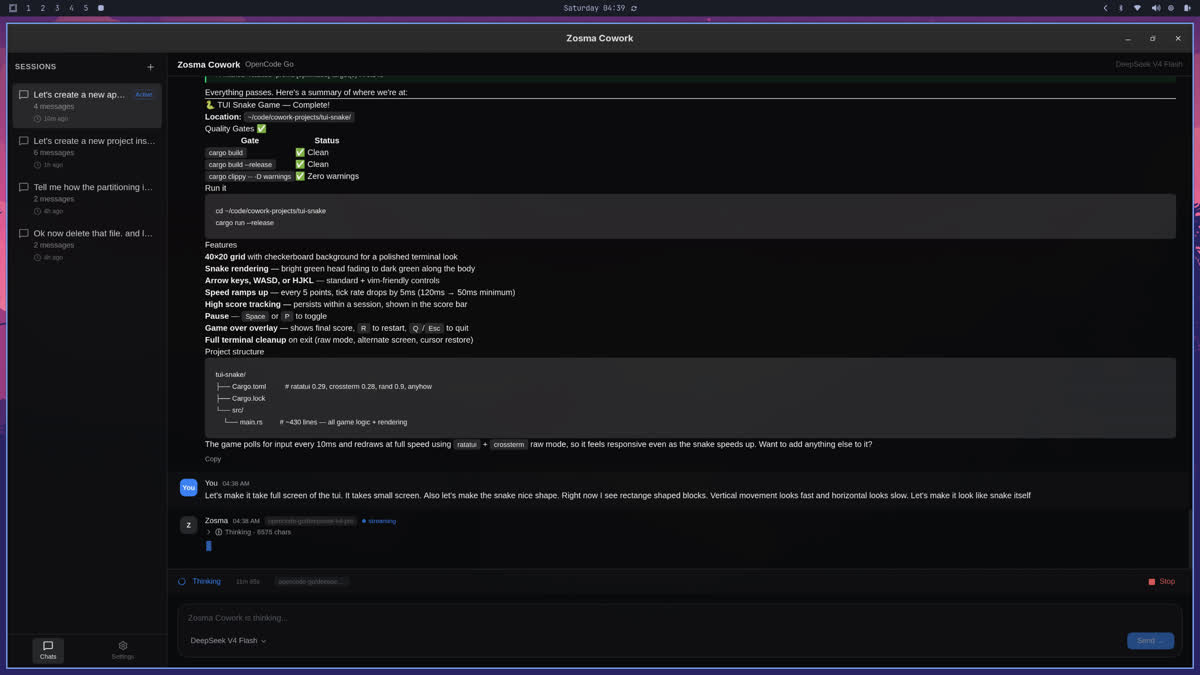
Most people think you need a $20/month Claude subscription or expensive API keys to run AI agents. You don't.
Our team was spending $700/month on AI. Now we spend $10-20/month for the entire team. We use local models like Qwen 2.5-32B running on our own hardware for sensitive work (financial data, customer records, internal documents), and cheap API providers for everything else.
Zosma Cowork runs on any of them — local, open-source, proprietary, cheap — you pick.
The Problem With Web AI
ChatGPT, Claude, and Perplexity are great at one thing: answering questions from whatever you type into a text box. But they can't touch your computer. They can't read your files, run your reports, or process your documents. And they lock you into their pricing, their models, and their data policies.
If you want an AI that actually does work — reads your PDFs, edits your spreadsheets, generates your reports — you have two options:
- A web chatbot that guesses based on what you copy-paste
- An agentic harness that connects to your computer and uses real tools
The second option used to mean setting up a terminal, configuring API keys, and knowing your way around a command line. Not anymore.
What Makes Zosma Cowork Different
Zosma Cowork is a desktop app. You install it, add your API keys (or point it at a local model), and start giving it tasks. No terminal required. No TUI to learn. No proprietary ecosystem to buy into.
Here's what that means for non-technical users:
It Runs on Any Model — Even Free Local Ones
We support any model provider — OpenAI, Anthropic, Google, Groq, Together AI, and local models via Ollama or LM Studio. If your data is sensitive (financial records, customer PII, internal strategy docs), run a local Qwen 2.5-32B or Llama 3 on your own machine. The data never leaves your computer.
For everyday tasks, use a cheap API provider. Groq and Together AI cost pennies compared to Claude or GPT-4. Our team uses a mix — local for finance, cheap API for design, occasional Claude for hard problems. Total cost: $10-20/month for the whole team.
It Has No Lock-In
The pi coding agent ecosystem has over 700 extensions on npm. You want a tool for your database? Install the MCP server for PostgreSQL. Want to read Google Sheets? There's an extension. Need to process PDFs? That's built in.
You're not limited by what Zosma Cowork ships with. The ecosystem is open, the code is MIT, and anyone can write an extension in any language.

It Does Actual Work
The three demos below are real. We recorded them in one take, no pre-trials. The agent read files, installed tools, ran commands, and produced results — all without human intervention during the run.
Demo 1: Mobile App Design
The ask: "Design a mobile app for a food delivery service."
The agent researched UX patterns, wrote a multi-screen HTML/CSS/JS prototype, iterated on layout issues it noticed itself, and produced a clickable design. No human touched a design tool.

Demo 2: Invoice Processing
The ask: "Extract data from these invoices into a spreadsheet."
The agent read PDFs, identified fields, and wrote a formatted .xlsx file. No manual copying, no spreadsheet setup.

Demo 3: Financial Report
The ask: "Take this bank statement and generate a readable report."
The agent categorized every transaction, calculated totals, identified patterns, and produced a structured report with visual summaries.

The Cost Comparison
Here's what our actual AI spending looked like before and after switching to Zosma Cowork with mixed providers:
| Before (Claude/GPT-4) | After (Local + Cheap API) | |
|---|---|---|
| Monthly cost | $700/team | $10-20/team |
| Model options | 1-2 proprietary | Any — local, open-source, or API |
| Data security | Depends on provider | Local for sensitive data |
| File access | ❌ Paste only | ✅ Full filesystem |
| Tool usage | ❌ None | ✅ Any tool, any language |
We didn't downgrade. We switched the easy tasks to cheap models (Groq, Together) and sensitive tasks to local models (Qwen 2.5-32B on our own hardware). The hard problems still go to Claude occasionally — but that's 5% of our usage now, not 100%.
How It Works (Non-Technical Version)
Zosma Cowork is a desktop app with a chat interface. You type what you want done. The agent figures out which tools to use (read files, run commands, call APIs), executes them, and shows you the result. You can watch it work in real-time or let it run in the background.
Under the hood, it uses the pi coding agent's extension system. But you don't need to know any of that. You just need to know what you want done.
For the technical folks: it's a Tauri v2 app with a Node.js sidecar running the pi-mono SDK. Compatible with 700+ pi extensions, MCP servers, and any model provider. MIT licensed.
Getting Started
- Download the app
- Add your API key, or point it at a local model via Ollama
- Start giving it tasks
No terminal required. No subscription needed. No lock-in.
- Browse all demos on the gallery page
- Star the repo on GitHub
- Join the community
Requirements: macOS or Linux. Windows coming.